使用 NodePort 的工作负载快速入门
您必须有一个运行中的集群,至少包含 1 个节点。
1.部署工作负载
您准备好创建您的第一个 Kubernetes 工作负载。工作负载是一个对象,包括 Pod 以及部署应用程序所需的其他文件和信息。
对于此工作负载,您将部署应用程序 Rancher Hello-World。
-
单击 ☰ > 集群管理。
-
从 集群 页面,转到应部署工作负载的集群并单击 探索。
-
单击*工作负载*。
-
单击*创建*。
-
为您的工作负载输入一个 名称。
-
在 容器镜像 字段中,输入
rancher/hello-world。该字段区分大小写。 -
单击 添加端口。
-
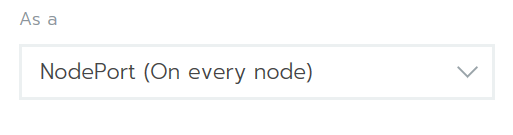
在 服务类型 下拉菜单中,确保选择了 NodePort。
-
在 发布容器端口 字段中,输入端口
80。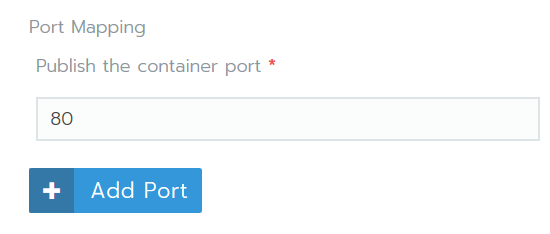
-
单击*创建*。
结果:
-
您的工作负载已部署。此过程可能需要几分钟来完成。
-
当您的工作负载完成部署时,它被分配为 活动 状态。您可以从项目的 工作负载 页面查看此状态。
注意:云托管沙盒
使用云托管虚拟机时,您可能无法访问运行容器的端口。在这种情况下,您可以使用 Execute Shell 在本地机器的 SSH 会话中测试 Nginx。如果可用,请使用您工作负载下方链接中 : 后显示的端口号,例如本示例中为 31568。
gettingstarted@rancher:~$ curl http://localhost:31568
<!DOCTYPE html>
<html>
  <body>
    <img id="logo" src="img/rancher-logo.svg" alt="Rancher logo" width=400 />
    <h1>Hello world!</h1>
    <h3>My hostname is hello-world-66b4b9d88b-78bhx</h3>
    <div id='Services'>
      <h3>k8s services found 2</h3>

      <b>INGRESS_D1E1A394F61C108633C4BD37AEDDE757</b> tcp://10.43.203.31:80<br />

      <b>KUBERNETES</b> tcp://10.43.0.1:443<br />

    </div>
    <br />

    <div id='rancherLinks' class="row social">
      <a class="p-a-xs" href="https://rancher.com/docs"><img src="img/favicon.png" alt="Docs" height="25" width="25"></a>
      <a class="p-a-xs" href="https://slack.rancher.io/"><img src="img/icon-slack.svg" alt="slack" height="25" width="25"></a>
      <a class="p-a-xs" href="https://github.com/rancher/rancher"><img src="img/icon-github.svg" alt="github" height="25" width="25"></a>
      <a class="p-a-xs" href="https://twitter.com/Rancher_Labs"><img src="img/icon-twitter.svg" alt="twitter" height="25" width="25"></a>
      <a class="p-a-xs" href="https://www.facebook.com/rancherlabs/"><img src="img/icon-facebook.svg" alt="facebook" height="25" width="25"></a>
      <a class="p-a-xs" href="https://www.linkedin.com/groups/6977008/profile"><img src="img/icon-linkedin.svg" height="25" alt="linkedin" width="25"></a>
    </div>
    <br />
    <button class='button' onclick='myFunction()'>Show request details</button>
    <div id="reqInfo" style='display:none'>
      <h3>Request info</h3>
      <b>Host:</b> 172.22.101.111:31411 <br />
      <b>Pod:</b> hello-world-66b4b9d88b-78bhx </b><br />

      <b>Accept:</b> [*/*]<br />

      <b>User-Agent:</b> [curl/7.47.0]<br />

    </div>
    <br />
    <script>
      function myFunction() {
          var x = document.getElementById("reqInfo");
          if (x.style.display === "none") {
              x.style.display = "block";
          } else {
              x.style.display = "none";
          }
      }
    </script>
  </body>
</html>
gettingstarted@rancher:~$