This is unreleased documentation for SUSE® Virtualization v1.8 (Dev).

CD-ROM Hotplug

SUSE Virtualization supports hotplugging and hotunplugging CD-ROM volumes for running virtual machines. This feature allows you to insert and eject images from CD-ROM devices.

CD-ROM volume hotplugging is supported only for CD-ROM devices of virtual machines created in SUSE Virtualization v1.8.0 or later.

This feature applies only to volume data inside an existing CD-ROM device. Attaching or detaching the actual CD-ROM device still requires a virtual machine restart.

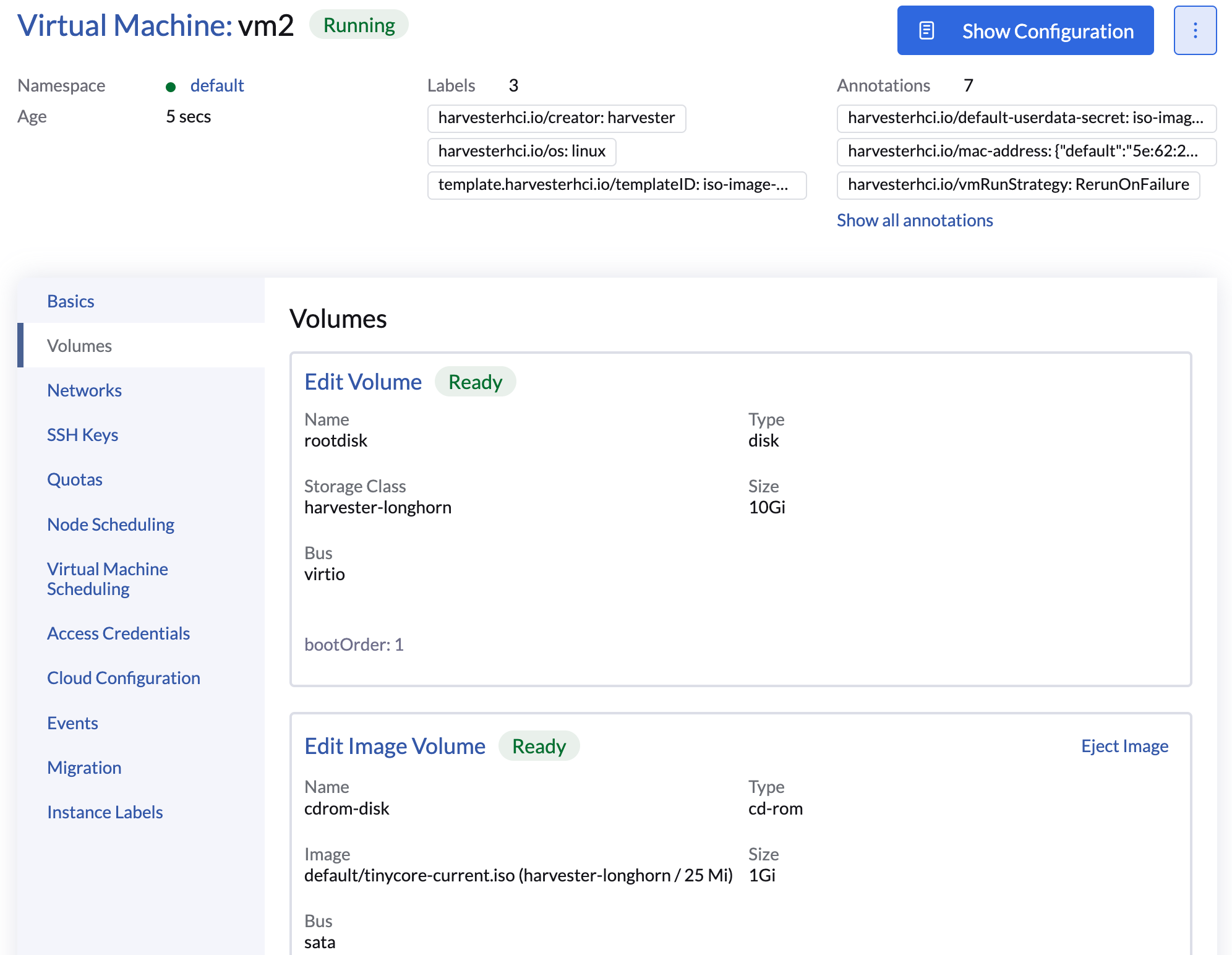
Ejecting an image from a CD-ROM device

  1. On the SUSE Virtualization UI, go to the Virtual Machines screen.

  2. Click the name of the target virtual machine, and then go to the Volumes tab.

    Ejecting an image from a CD-ROM device
  3. Locate the target CD-ROM volume, and then click Eject Image.

  4. Click Apply.

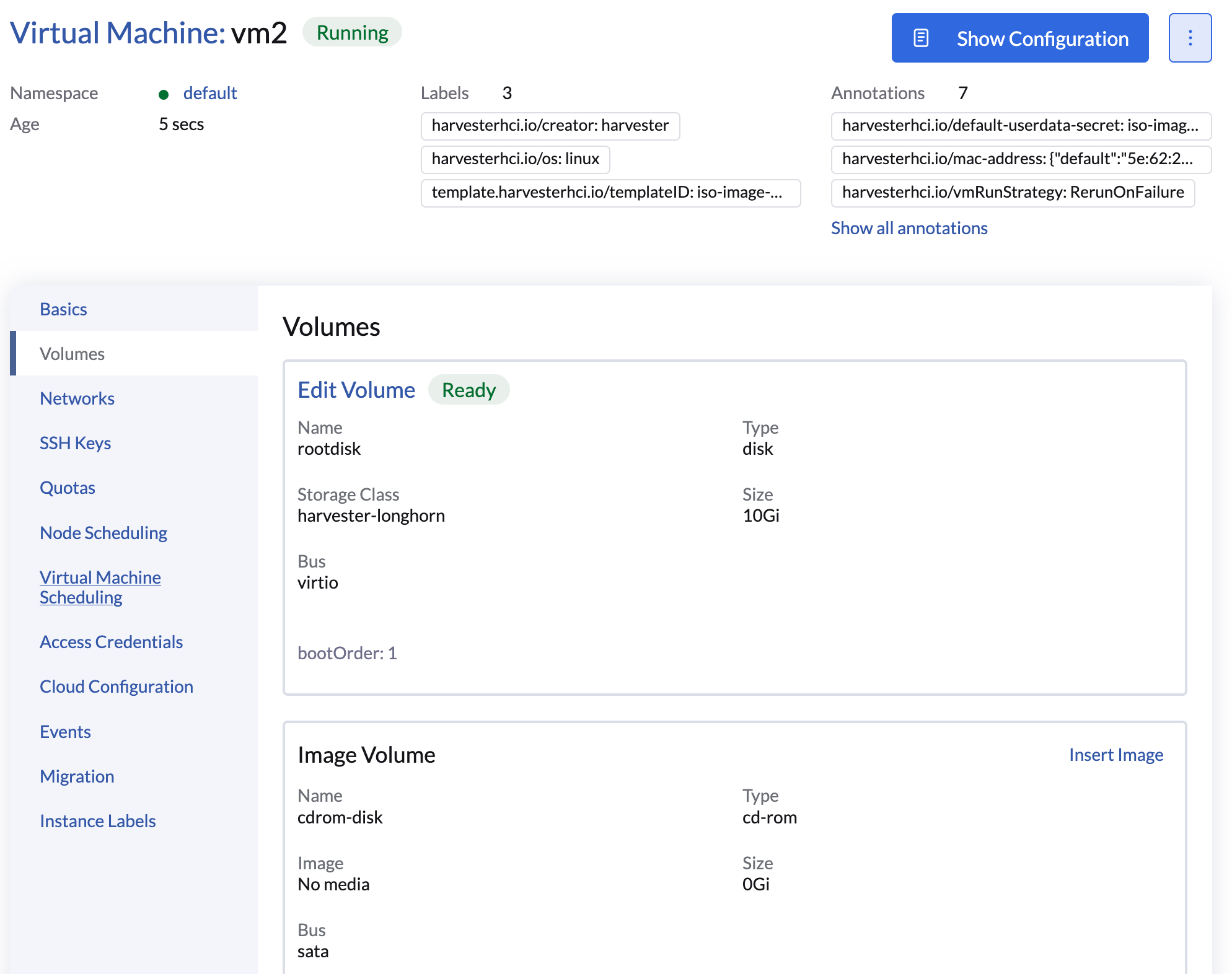
Inserting an image into an empty CD-ROM device

  1. On the SUSE Virtualization UI, go to the Virtual Machines screen.

  2. Click the name of the target virtual machine, and then go to the Volumes tab.

    Inserting an image into an empty CD-ROM device
  3. Locate the target CD-ROM volume, and then click Insert Image.

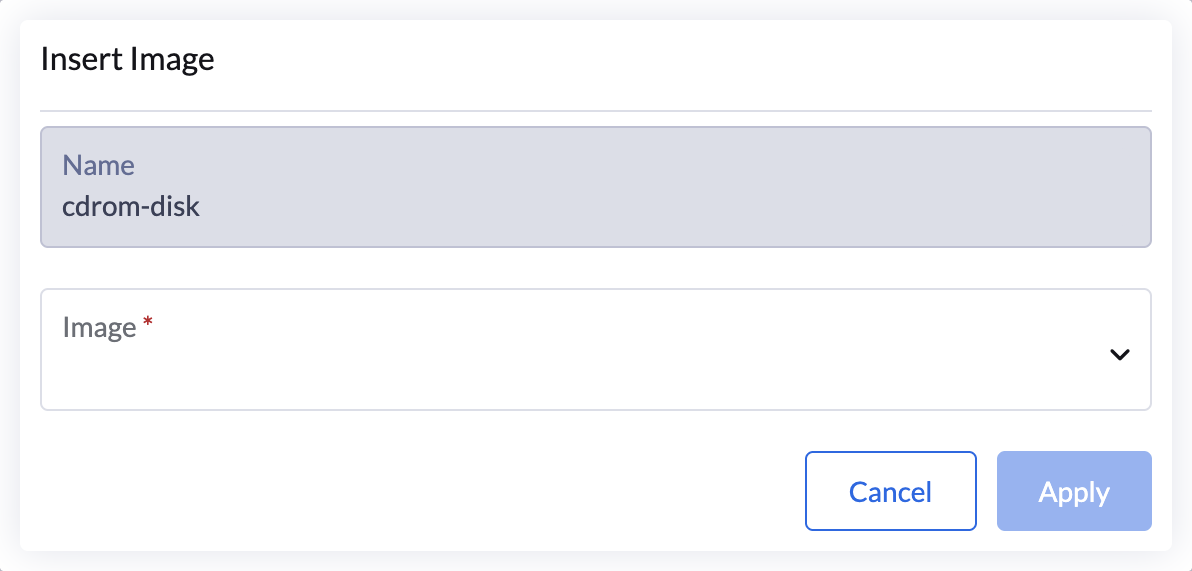
  4. Select the image, and then click Apply.

    Selecting the image to be inserted