快速入门
安装
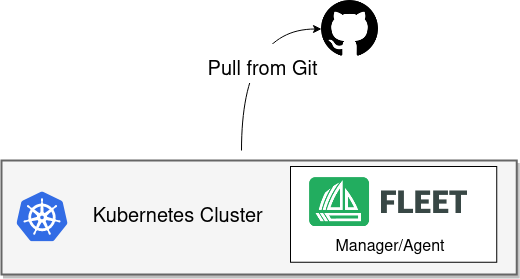
SUSE® Rancher Prime Continuous Delivery 以 Helm 图表形式分发。Helm 3是一个CLI,没有服务器端组件,使用起来相当简单。要安装 Helm 3 CLI,请遵循 官方安装说明。
|
SUSE® Rancher Prime Continuous Delivery 在 Rancher 中
Rancher 为 SUSE® Rancher Prime Continuous Delivery 提供了单独的 Helm 图表,并使用不同的储存库。 |
-
Linux/Mac
-
Windows
brew install helm
helm repo add fleet https://rancher.github.io/fleet-helm-charts/
choco install kubernetes-helm
helm repo add fleet https://rancher.github.io/fleet-helm-charts/安装 SUSE® Rancher Prime Continuous Delivery Helm 图表(有两个,因为我们将 CRD 分开以实现极致灵活性。)
helm -n cattle-fleet-system install --create-namespace --wait fleet-crd \
    fleet/fleet-crd
helm -n cattle-fleet-system install --create-namespace --wait fleet \
    fleet/fleet
添加要监视的 Git 储存库
将 spec.repo 更改为您选择的 Git 储存库。 应部署的 Kubernetes 清单文件应位于您的储存库中的 /manifests。
cat > example.yaml << "EOF"
apiVersion: fleet.cattle.io/v1alpha1
kind: GitRepo
metadata:
  name: sample
  # This namespace is special and auto-wired to deploy to the local cluster
  namespace: fleet-local
spec:
  # Everything from this repo will be run in this cluster. You trust me right?
  repo: "https://github.com/rancher/fleet-examples"
  paths:
  - simple
EOF

kubectl apply -f example.yaml
获取状态
获取 Fleet 的当前状态
kubectl -n fleet-local get fleet您应该在集群中看到生成了类似如下的内容。
kubectl get deploy frontend
NAME       READY   UP-TO-DATE   AVAILABLE   AGE
frontend   3/3     3            3           116m
后续步骤
您是否需要… * 监视私有 Git 或 Helm 储存库?检查创建 GitRepo 资源。 * 根据目标集群自定义您的部署?映射到下游集群。