Inicio rápido
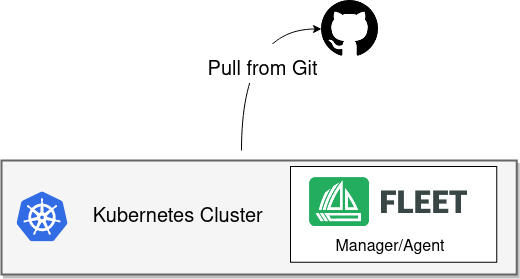
Instale
SUSE® Rancher Prime Continuous Delivery se distribuye como un Helm chart. Helm 3 es una CLI, no tiene componente del lado del servidor, y su uso es bastante sencillo. Para instalar la CLI de Helm 3, sigue las instrucciones de instalación oficiales.
|
SUSE® Rancher Prime Continuous Delivery en Rancher
Rancher tiene Helm charts separados para SUSE® Rancher Prime Continuous Delivery y utiliza un repositorio diferente. |
-
Linux/Mac
-
Windows
brew install helm
helm repo add fleet https://rancher.github.io/fleet-helm-charts/
choco install kubernetes-helm
helm repo add fleet https://rancher.github.io/fleet-helm-charts/Instala los SUSE® Rancher Prime Continuous Delivery Helm charts de (hay dos porque separamos los CRD para una flexibilidad máxima).
helm -n cattle-fleet-system install --create-namespace --wait fleet-crd \
    fleet/fleet-crd
helm -n cattle-fleet-system install --create-namespace --wait fleet \
    fleet/fleet
Añadir un repositorio de Git a vigilar
Cambia spec.repo por tu repositorio de git preferido. Los archivos de manifiesto de Kubernetes que deben ser desplegados deben estar en /manifests en tu repositorio.
cat > example.yaml << "EOF"
apiVersion: fleet.cattle.io/v1alpha1
kind: GitRepo
metadata:
  name: sample
  # This namespace is special and auto-wired to deploy to the local cluster
  namespace: fleet-local
spec:
  # Everything from this repo will be run in this cluster. You trust me right?
  repo: "https://github.com/rancher/fleet-examples"
  paths:
  - simple
EOF

kubectl apply -f example.yaml
Obtener estado
Obtener el estado de lo que está haciendo la Fleet
kubectl -n fleet-local get fleetDeberías ver algo como esto creado en tu clúster.
kubectl get deploy frontend
NAME       READY   UP-TO-DATE   AVAILABLE   AGE
frontend   3/3     3            3           116m
Pasos siguientes
¿Necesitas… * monitorizar repositorios privados de Git o de Helm? Revisa Crear un recurso GitRepo. * Personaliza tus ampliaciones para cada clúster de destino. Mapeo a clústeres en sentido descendente.